● LIVE · MacBook Pro M5 · 32 GB
I test local AI on the laptop on your desk.
Real models. Real tokens per second. Real crashes. No sponsors, just honest numbers before you spend money.
// THE NIGHT IT CRASHED
32 GB sounds like a lot. It isn't.
macOS and my apps take 9 GB before I even start.
Then I load Qwen 3.8 27B. Another 16 GB.
The long chat grows the context. 31 of 32 GB…
…and my MacBook shut down.
So now I test what fits, before you buy anything.

// WHO'S TESTING
Hi, I'm Vikramjit.
I'm a developer. I buy the laptops, run the models, and show you the real numbers. Including the nights when it all goes wrong.
// THE LAB
Four machines. Zero cloud.
Every number on this page comes from one of these. The bar is how much memory each one has for AI.

MacBook Pro M5
Where most tests run

RTX 4080 desktop
The Mac vs PC fights
MacBook Pro M1
The old one, still going
RTX 4050 laptop
The gaming laptop limit
// WILL IT RUN ON MY MAC?
The models I've actually tested.
Green means I ran it myself. Memory is the model at 4-bit before your chat grows; long chats need more.

Gemma 4 E2B
Google · small and fast
MacBook Pro M1 · 8 GB26 tok/s ✓Any 16 GB MaceasyMacBook Pro M5 · 32 GB54 tok/s ✓The one I'd start with on an older or 8 GB Mac.

Qwen 3.6 35B-A3B
Alibaba · mixture of experts
MacBook Pro M1 · 8 GBwon't fitAny 16 GB Macwon't fitMacBook Pro M5 · 32 GB40 tok/s ✓Bigger, but only a small part works per word, so it feels fast. My favourite on 32 GB.
Qwen 3.8 27B
Alibaba · dense
MacBook Pro M1 · 8 GBwon't fitAny 16 GB Mactoo tightMacBook Pro M5 · 32 GBruns · crashed at 31 GBSmart, but slow (8–10 tok/s most of the time), and long chats filled all 32 GB.
 LM Studio
oMoMLX
 Claude Code
 OpenCode
// MY OWN BENCHMARKS
How fast does the AI actually write?
Tokens per second. Around 15 is comfortable to read along with. 40 feels instant.
Gemma 4 E2BMacBook Pro M1 8GB · LM Studio
Gemma 4 E2BMacBook Pro M5 32GB · LM Studio
Qwen 3.6 35B-A3BM5 32GB · mixture of experts
Qwen 3.8 27BM5 32GB · dense, best run
RESTART AFTER A CRASH
LM Studio7 soMoMLXReloading the AI's memory after a restart. Same model, same prompt.
LONGEST SINGLE ANSWER
LM Studio12 minoMoMLXLM Studio stopped at five minutes. oMLX kept going for almost twelve.
// LOCAL AI LAB · STARTS 26 OCT
Ten tests. Starting 26 October.
Old Mac vs new Mac
M1 8GB against M5 32GB. Same model, same prompt.
TEST #1The 82-minute loop
Why a 27B model thought for 82 minutes and wrote zero code.
TEST #2Bigger but faster?
How a 35B mixture-of-experts model beats a 27B dense one.
TEST #35 min vs 12 min
LM Studio against oMLX on one very long answer.
TEST #4A free coding agent
Local model plus a free agent. Can it build a real app?
TEST #5Don't buy a Mac for Claude
When a cheap laptop and a subscription make more sense.
TEST #6The crash
31 of 32 GB, and the MacBook switched itself off.
TEST #7The restart test
Which app gets you back to work fastest after a crash.
TEST #870B on 32 GB?
Can a 70-billion model run at all on my laptop?
TEST #9Mac vs NVIDIA
MacBook Pro M5 against the RTX 4080 desktop.
TEST #10// NEWEST TESTS
Fresh from the lab.

Why Your Mac Crashes Running Local AI (It's Not the Model)
27 Oct 2026

I Ran a 35B AI Model on a 16GB GPU. It Shouldn't Fit.
27 Oct 2026
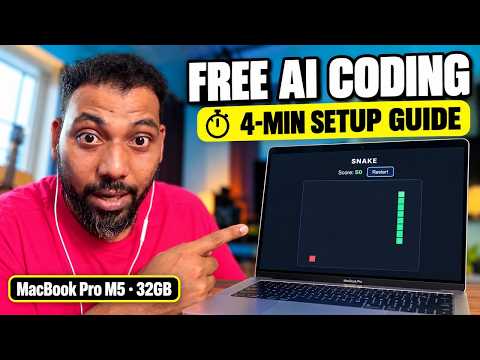
How to Run Local AI Coding on Mac for Free (OpenCode + LM Studio + Qwen)
18 Oct 2026
// START HERE
The videos people watch most.
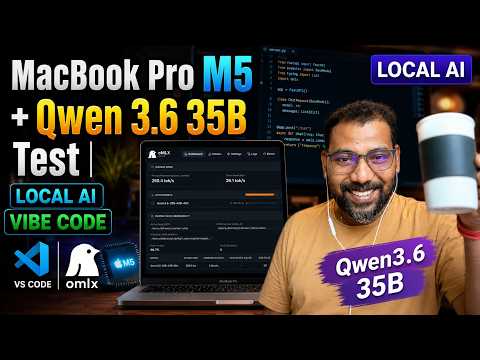


// ON INSTAGRAM
A new test every day, in 60 seconds.
Short versions of every test on @iam.vikramjit. Follow, or Instagram may never show you the next one.
// WORK WITH ME
Want your AI tool or laptop tested?
I test products hands-on, on real hardware, and show my audience exactly how they perform. Honest verdicts, clear disclosure, numbers people can repeat.